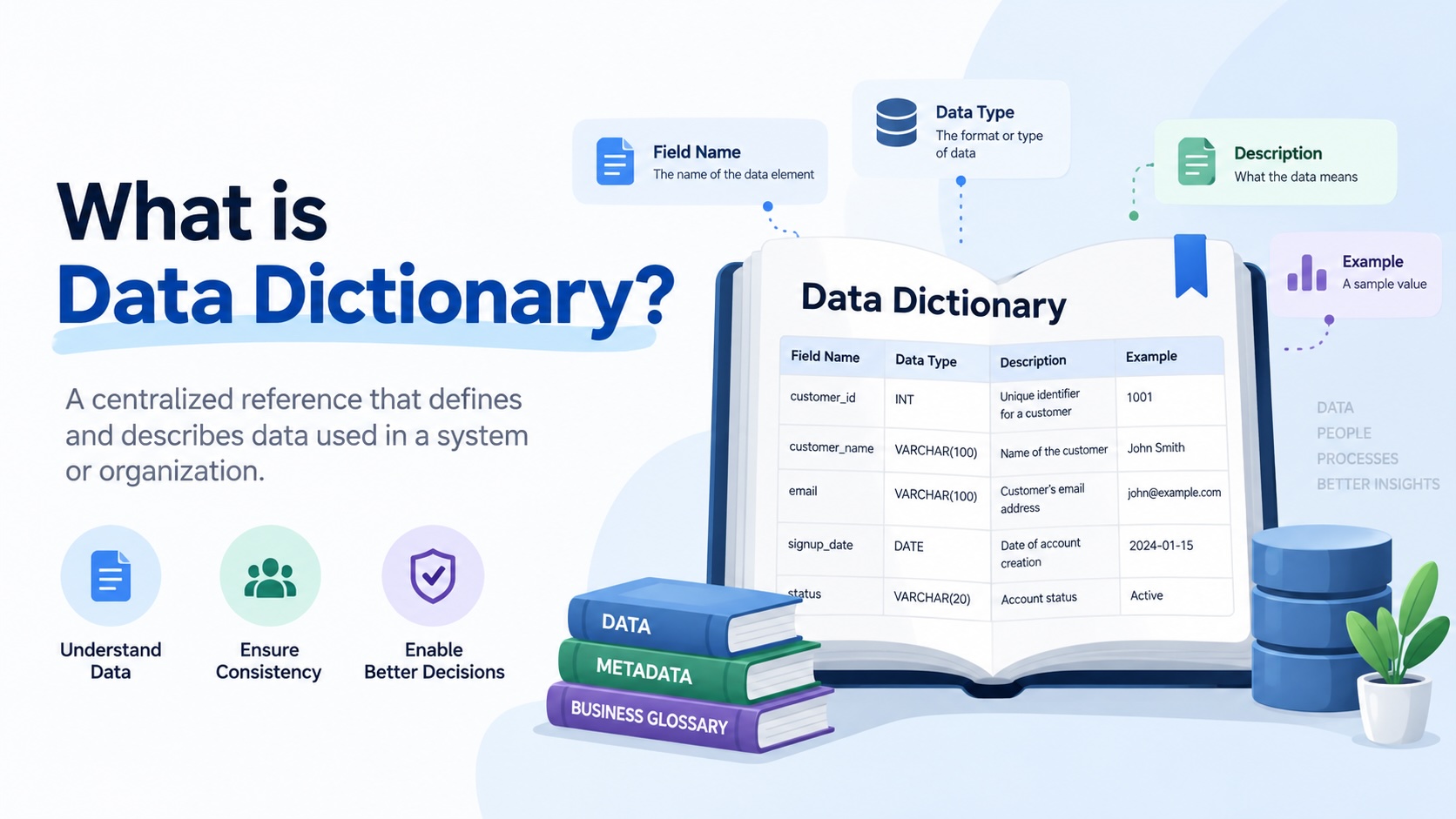
What Is a Data Dictionary?
A data dictionary is a reference that explains what the data in a database or dataset actually means.
At its simplest, it tells you what a table contains, what each column represents, what type of data it stores, and how that data should be interpreted.
For example, a database might contain a column called status. That name alone does not tell you much. Does 1 mean active? Does 0 mean inactive? Does status refer to an order, a customer, or a payment? Can the value be null?
A useful data dictionary answers those questions.
| Column | Data Type | Description | Example |
|---|---|---|---|
customer_id |
Integer | Unique identifier for a customer | 10482 |
order_date |
Date | Date the customer placed the order | 2026-08-14 |
status |
String | Current status of the order | shipped |
total_amount |
Decimal | Total order value before refunds | 249.95 |
The basic idea is simple: a data dictionary provides context around the structure and meaning of data.
Microsoft describes a data dictionary as a list of canonical database column names and their corresponding data types, while AWS describes one as documentation that explains the columns included in a dataset and their meaning. In enterprise data management, the term is also commonly used more broadly for a collection of names, definitions, and attributes describing data elements.
There is one important complication: the term “data dictionary” can mean slightly different things depending on the context.
In a database system such as Oracle, a data dictionary can refer to system-maintained metadata that describes database objects, users, permissions, constraints, and other internal information.
In data management and analytics, however, people usually mean documentation that helps humans understand the data they work with.
This article focuses on that second meaning.
What Does a Data Dictionary Contain?
There is no single standard format for a data dictionary. What you include depends on the type of data, the people using it, and how much governance the organization needs.
A basic data dictionary might contain:
- Table name
- Column name
- Data type
- Description
- Example value
A more useful data dictionary might also include:
- Business definition
- Nullable or required status
- Primary key
- Foreign key
- Allowed values
- Data format
- Default value
- Source system
- Data owner
- Sensitivity classification
- Related tables
- Transformation logic
- Data quality rules
For example, consider an orders table:
| Column | Data Type | Description | Required | Key |
|---|---|---|---|---|
order_id |
Integer | Unique identifier for an order | Yes | Primary key |
customer_id |
Integer | Identifier of the customer who placed the order | Yes | Foreign key |
order_date |
Date | Date the order was created | Yes | |
status |
String | Current lifecycle status of the order | Yes | |
total_amount |
Decimal | Total value of the order before refunds | Yes |
The dictionary can go further.
For example:
| Column | Technical Definition | Business Definition |
|---|---|---|
revenue |
Decimal value stored in the sales table | Net recognized sales after discounts and returns, excluding taxes |
customer_id |
Integer identifier | Unique identifier assigned to a customer account |
active |
Boolean | Indicates whether the customer is currently eligible to place an order |
This distinction matters because technical metadata tells you how the data is stored, while business definitions tell you what the data means.
Why Is a Data Dictionary Important?
Most databases are reasonably good at storing data.
They are much worse at explaining it.
A column called qty might be obvious to the person who created it. Six months later, another analyst may have no idea whether it means ordered quantity, shipped quantity, available quantity, or inventory quantity.
The problem gets worse as organizations grow.
A company might have:
- Several databases
- Hundreds of tables
- Thousands of columns
- Multiple analytics teams
- Several reporting tools
- Different definitions of the same business metric
Without documentation, people end up relying on tribal knowledge.
Someone asks:
Which column should I use for customer revenue?
The answer might be:
I think it’s
sales_amountin the order table, but ask Priya because she built that dashboard.
That is not a scalable data management process.
A data dictionary turns some of that undocumented knowledge into something the wider team can actually use.
What Problems Does a Data Dictionary Solve?
A good data dictionary helps with several common problems.
1. People Don’t Know What Columns Mean
Technical column names are often abbreviated or optimized for applications rather than humans.
You might encounter:
cust_id
ord_dt
qty_shp
net_amt
inv_stat
A data dictionary can translate those names into useful explanations.
2. Different Teams Interpret the Same Data Differently
Consider a column called customer.
One team might use it to mean a person.
Another might use it to mean a company.
A third might use it to mean an account.
The database may contain no indication of which interpretation is correct.
A business definition makes the intended meaning explicit.
3. Analysts Waste Time Finding the Right Data
Without documentation, analysts often discover data by asking colleagues, reading old SQL queries, inspecting tables manually, or looking through dashboards.
A data dictionary gives them a starting point.
4. Knowledge Disappears When People Leave
A lot of an organization’s data knowledge exists in people’s heads.
When someone who has worked with a dataset for five years leaves the company, their knowledge about obscure columns, legacy fields, exceptions, and business rules can disappear with them.
Documentation turns some of that tacit knowledge into organizational knowledge.
5. Data Projects Become Harder to Maintain
Data warehouses evolve.
Columns get renamed. Tables get replaced. New fields are introduced. Old fields stop being used.
Without documentation, it becomes difficult to understand what changed and what might be affected.
A maintained data dictionary gives teams a reference point when the underlying data changes.
What Is an Example of a Data Dictionary?
Imagine an ecommerce company with an orders table.
The database might look like this:
CREATE TABLE orders (
    order_id INTEGER,
    customer_id INTEGER,
    order_date DATE,
    status VARCHAR(20),
    subtotal DECIMAL(12,2),
    discount DECIMAL(12,2),
    tax DECIMAL(12,2),
    total_amount DECIMAL(12,2)
);
The database schema tells you how the table is structured.
A data dictionary explains what those fields mean.
| Column | Type | Definition | Example |
|---|---|---|---|
order_id |
Integer | Unique identifier for an order | 847291 |
customer_id |
Integer | Unique identifier for the customer who placed the order | 10482 |
order_date |
Date | Date on which the order was submitted | 2026-08-14 |
status |
String | Current status of the order | shipped |
subtotal |
Decimal | Sum of item prices before discounts and taxes | 220.00 |
discount |
Decimal | Total discount applied to the order | 20.00 |
tax |
Decimal | Tax charged on the order | 20.00 |
total_amount |
Decimal | Final amount charged to the customer | 220.00 |
The documentation can go further.
Allowed Values for status
pending
confirmed
shipped
delivered
cancelled
returned
Customer Relationship
orders.customer_id
        |
        v
customers.customer_id
total_amount Business Rule
subtotal - discount + taxNow the documentation is doing more than describing columns. It is helping someone understand how the data is intended to be used.
Data Dictionary vs Database Schema
These two concepts are related, but they are not the same.
A database schema describes the structure of a database.
It tells you things such as:
- What tables exist
- What columns exist
- Their data types
- Primary keys
- Foreign keys
- Relationships
- Constraints
A data dictionary can contain some of that information, but its purpose is broader: it explains the data to the people who need to use it.
Think of it this way:
Schema:
What is physically or logically structured in the database?
Data dictionary:
What does that structure mean, and how should people interpret it?
A schema might tell you that a column is called net_sales and has a decimal data type.
A data dictionary might tell you that net_sales means sales after discounts and returns, excluding sales tax, calculated at the order-line level.
That distinction becomes particularly important in analytics environments.
Data Dictionary vs Data Catalog
A data dictionary and a data catalog are closely related, but they solve different problems.
A data catalog is generally broader.
It helps people discover and understand data assets across an organization. A catalog may contain databases, tables, dashboards, reports, files, pipelines, owners, classifications, lineage, and other metadata.
A data dictionary focuses more closely on the structure and meaning of the data elements within those assets.
A simplified comparison looks like this:
| Data Dictionary | Data Catalog | |
|---|---|---|
| Main purpose | Explain data elements | Discover and manage data assets |
| Scope | Usually a dataset, database, or defined collection of data | Often organization-wide |
| Columns | Yes | Usually |
| Data types | Yes | Usually |
| Business definitions | Often | Often |
| Data lineage | Sometimes | Commonly |
| Asset discovery | Limited | Core capability |
| Dashboards | Usually no | Often |
| Ownership | Sometimes | Commonly |
| Data quality | Sometimes | Often |
In practice, the two often work together.
A data catalog may contain a table called orders.
Opening that table might show the data dictionary information for its columns.
Data Dictionary vs Business Glossary
A business glossary is another concept that is easy to confuse with a data dictionary.
A business glossary defines important business terms.
For example:
| Business Term | Definition |
|---|---|
| Customer | An account with at least one completed purchase |
| Net Sales | Gross sales less discounts and returns |
| Active Customer | A customer who has made a purchase within the last 12 months |
A data dictionary might then connect those concepts to actual data:
| Business Term | Data Element |
|---|---|
| Customer | customers.customer_id |
| Net Sales | orders.net_amount |
| Active Customer | Derived from customers.last_order_date |
The glossary describes the business language.
The data dictionary connects that language to the actual data structure.
This distinction becomes increasingly important as organizations build semantic layers and centralized metric definitions.
Who Uses a Data Dictionary?
A data dictionary is useful to almost anyone who works with data, but different users need different levels of detail.
Data Analysts
Analysts use data dictionaries to understand tables and columns before writing queries.
Instead of inspecting dozens of tables manually, they can quickly determine which fields are relevant.
Data Engineers
Engineers use dictionaries to document schemas, relationships, constraints, and data transformations.
Documentation also helps engineers understand the intended use of existing datasets before modifying them.
Analytics Engineers
Analytics engineers often sit between engineering and analytics. They need both technical metadata and business context.
A data dictionary can provide the bridge between the underlying warehouse and the business logic built on top of it.
Business Analysts
Business analysts may not care whether a column is stored as VARCHAR(20) or VARCHAR(50).
They do care whether customer_status = 'active' means an account is currently purchasing, currently under contract, or simply not deleted.
Good documentation makes technical data understandable to non-engineering users.
Data Governance Teams
Governance teams use data dictionaries to establish consistent definitions, ownership, classifications, and rules around important data elements.
What Makes a Good Data Dictionary?
Creating a spreadsheet with column names is easy.
Creating a useful data dictionary is harder.
A good data dictionary has a few characteristics.
It Explains Meaning, Not Just Structure
This:
cust_id: integer
is technically accurate but not very useful.
This is better:
cust_id: Unique identifier assigned to each customer account. Remains unchanged throughout the customer’s account lifecycle.
Definitions Are Specific
Avoid definitions that simply repeat the column name.
Bad:
Revenue: Revenue generated from sales.
Better:
Revenue: Net value of completed sales after discounts and returns, excluding sales tax.
Business and Technical Context Are Connected
The most useful documentation connects:
Business concept

      |

      v

Metric or rule

      |

      v

Table

      |

      v

Column

      |

      v

Source
That allows someone to move from a business question to the actual data used to answer it.
It Has an Owner
Documentation becomes stale quickly when nobody is responsible for maintaining it.
Important data elements should have a person or team responsible for their definition and maintenance.
It Reflects the Actual Data
A dictionary should not become a separate fictional description of the database.
If the schema changes, the documentation should eventually change with it.
This is one reason automated metadata extraction can be useful.
How Do You Create a Data Dictionary?
You can start with a spreadsheet, but the process should be systematic.
Step 1: List Your Data Assets
Start with the databases, schemas, tables, views, or datasets you want to document.
For a warehouse, you might start with:
sales
customers
products
orders
inventory
shipments
Step 2: Extract Technical Metadata
Collect information such as:
- Table names
- Column names
- Data types
- Nullable status
- Primary keys
- Foreign keys
- Constraints
Many database systems already expose this metadata through system catalogs or information schema views.
Step 3: Add Descriptions
Write a clear description for each important table and column.
Don’t try to write an essay for every field.
The description should answer:
What is this data?
and, where necessary:
How should it be interpreted?
Step 4: Add Business Definitions
For important fields, particularly metrics and dimensions, add business context.
For example:
Column: net_sales

Technical:
Decimal amount stored at the order-line level.

Business:
Value of completed merchandise sales after discounts and returns,
excluding sales tax and shipping charges.
Step 5: Document Relationships
Show how tables connect.
For example:
customers
    |
    | customer_id
    v
orders
    |
    | order_id
    v
order_items
    |
    | product_id
    v
products
This makes the dictionary much more useful for analysts.
Step 6: Assign Ownership
Identify who is responsible for the definition and maintenance of important data elements.
Step 7: Keep It Updated
This is the step organizations often underestimate.
A data dictionary that was accurate two years ago but hasn’t been updated since is often worse than having no documentation because users may trust information that is no longer correct.
Should a Data Dictionary Be a Spreadsheet?
It can be.
For a small team, a spreadsheet may be perfectly reasonable.
For example:
data_dictionary.xlsxmight contain:
| Table | Column | Type | Description | Owner |
|---|---|---|---|---|
| customers | customer_id |
integer | Unique customer identifier | CRM |
| customers | email |
varchar | Customer email address | CRM |
| orders | order_id |
integer | Unique order identifier | Commerce |
| orders | total_amount |
decimal | Final order value | Finance |
The problem appears when the database contains hundreds or thousands of columns.
Someone then has to manually keep the spreadsheet synchronized with the database.
At that point, teams usually start looking for ways to automatically extract metadata from their data systems and combine it with human-written descriptions and business definitions.
That is where a data documentation or data catalog platform becomes useful.
Automated vs Manual Data Dictionaries
There are two broad approaches.
Manual
Someone creates and maintains the documentation.
Advantages:
- Simple to start
- Easy to customize
- Good for small datasets
Disadvantages:
- Time-consuming
- Easy to forget
- Quickly becomes outdated
- Difficult to maintain at scale
Automated
A tool connects to the database and imports technical metadata automatically.
For example:
Database

   |

   v

Tables

   |

   v

Columns

   |

   v

Data types

   |

   v

Relationships
People then add the information that machines generally cannot determine reliably:
Business definition

Owner

Business rules

Metric meaning

Usage notes
The best approach is often a combination of both.
Let machines handle what the database already knows.
Let people provide the business context.
Can a Data Dictionary Include Data Lineage?
Yes, although lineage is usually considered a separate capability.
A basic data dictionary might tell you:
net_salesis the net sales amount.
Lineage can tell you where that value came from:
ERP
 |
 v
raw_orders
 |
 v
stg_orders
 |
 v
fact_sales
 |
 v
net_sales
 |
 v
Sales Dashboard
This distinction matters when someone asks:
Where does this number come from?
The dictionary explains what the number means.
Lineage explains where the number came from and how it moved through the data stack.
Modern data management platforms often combine these capabilities as part of a broader metadata and governance environment.
What About Metrics?
This is where a traditional data dictionary starts to reach its limits.
Suppose an organization has a metric called “Active Customers.”
The metric might be defined as:
Customers who completed at least one order in the previous 12 months.
That definition is not simply a property of one database column.
It might require:
customers

    +

orders

    +

order status

    +

order date

    +

business rule
The SQL might look something like:
SELECT COUNT(DISTINCT customer_id)
FROM orders
WHERE order_status = 'completed'
  AND order_date >= CURRENT_DATE - INTERVAL '12 months';
Now you have several pieces of information:
- What the metric means
- How it is calculated
- Which tables it uses
- Which columns it uses
- Which filters apply
- At what grain it is calculated
- Who owns it
That is closer to a metric definition or semantic layer than a traditional column-level data dictionary.
This distinction becomes important as organizations move from documenting raw data toward documenting the meaning of analytics.
A Data Dictionary Is More Than Documentation
It is tempting to think of a data dictionary as a document that somebody creates once and puts in a shared folder.
That approach usually doesn’t last.
The more useful way to think about a data dictionary is as a shared layer of metadata and meaning around your data.
At the technical level, it can describe:
Tables

Columns

Types

Keys

Relationships
At the business level, it can describe:
Definitions

Business rules

Owners

Allowed values

Metrics

Usage guidance
And when connected to other metadata systems, it can become part of a broader picture:
Data dictionary

       +

Business glossary

       +

Data lineage

       +

Data quality

       +

Metric definitions

       |

       v

Understanding of the data
That is why data dictionaries remain useful even as modern data stacks become more sophisticated.
Data Dictionary Example for a Real Analytics Team
Imagine an FMCG company with this simplified warehouse:
customers
products
orders
order_items
inventory
warehouses
shipments
An analyst needs to answer:
How many units of Product A are currently in transit to our warehouses?
Without documentation, they might have to figure out:
- Which table contains shipments?
- Which column identifies the product?
- Which field represents shipped quantity?
- What does “in transit” mean?
- Which shipment statuses count?
- How are cancelled shipments handled?
- Does the quantity represent cases or individual units?
A useful data dictionary might document:
Metric:

In-Transit Units

Definition:

Units that have left the supplier or distribution origin
but have not yet been received at the destination warehouse.

Source:

shipments

Relevant columns:

product_id
origin_warehouse_id
destination_warehouse_id
shipped_quantity
shipment_status
shipped_at
received_at

Included statuses:

IN_TRANSIT

Excluded statuses:

CANCELLED
RECEIVED

Grain:

One shipment-product combination
Now the analyst isn’t just looking at a list of columns.
They have the context required to use the data correctly.
That is the real value of a data dictionary.
Data Dictionary Best Practices
If you’re creating a data dictionary for your organization, keep these principles in mind.
Start With Important Data
Don’t try to document every column on day one.
Start with the tables, metrics, and data elements that people actually use.
Write for the Reader
A definition should make sense to someone who did not create the database.
Don’t Rely Only on Technical Metadata
Knowing that a field is VARCHAR(20) doesn’t tell someone what it means.
Technical metadata and business context should work together.
Use Consistent Definitions
If “customer” means one thing in one system and something completely different in another, document the difference rather than quietly using the same definition.
Connect Definitions to Actual Data
A business term is more useful when users can trace it to the tables and columns where it is implemented.
Automate What You Can
Schema metadata should not need to be manually typed into a spreadsheet every time a database changes.
Assign Ownership
Someone should be accountable for important definitions.
Treat the Dictionary as a Living System
Your data changes.
Your documentation needs to change with it.
Frequently Asked Questions
What is a data dictionary in simple terms?
A data dictionary is documentation that explains what data means and how it is structured. It commonly includes table names, column names, data types, descriptions, relationships, allowed values, and business definitions.
What is the purpose of a data dictionary?
Its purpose is to make data easier to understand and use consistently. It helps analysts, engineers, business users, and governance teams understand what datasets contain and how important data elements should be interpreted.
What is included in a data dictionary?
A basic dictionary includes table names, column names, data types, and descriptions. More comprehensive dictionaries can include business definitions, relationships, owners, allowed values, sensitivity classifications, data quality rules, source systems, and transformation information.
What is the difference between a data dictionary and a data catalog?
A data dictionary primarily explains the structure and meaning of data elements. A data catalog provides a broader inventory and discovery layer across an organization’s data assets. A catalog can contain data dictionary information as part of its metadata.
What is the difference between a data dictionary and a business glossary?
A business glossary defines business terms such as “customer,” “revenue,” or “active account.” A data dictionary describes the actual data elements and can connect those business concepts to tables and columns.
Is a data dictionary the same as a database schema?
No. A schema describes the structure of a database, including tables, columns, data types, and relationships. A data dictionary can contain schema information but adds descriptions and business context that explain what the data means.
Can a data dictionary be automated?
Yes. Technical metadata such as tables, columns, data types, and relationships can often be extracted automatically from a database. Human input is still valuable for business definitions, rules, ownership, and usage guidance.
Who should maintain a data dictionary?
It depends on the organization. Data engineers, analytics engineers, data stewards, business analysts, and subject-matter experts may all contribute. The important part is that ownership is explicit and that the documentation has a process for staying current.
Final Thoughts
A database tells you what data exists.
A data dictionary helps you understand what that data means.
That distinction sounds small, but it becomes important as soon as a data environment grows beyond a handful of tables.
When there are hundreds of tables, thousands of columns, and multiple teams using the same data, undocumented assumptions become a serious source of wasted time and inconsistent analysis.
A useful data dictionary brings those assumptions into the open.
It gives people a shared reference for the structure, meaning, and usage of their data. When it is connected to lineage, business definitions, metrics, and data quality information, it can become part of a much broader system for understanding an organization’s data.
The challenge is no longer creating a spreadsheet of column names.
The challenge is keeping technical metadata, business meaning, and analytical logic connected as the data changes.
That is where modern data documentation tools can make a difference.